


Word Search!
4.9509.00 Reviews
App Specs
- Version
- 1.1.97
- Updated On
- License
- Free
- Downloads
- 10,000,000+
- Developer
- Mindful Daily Puzzles
- Categories
- Word
- Platform
- Android
Screenshots
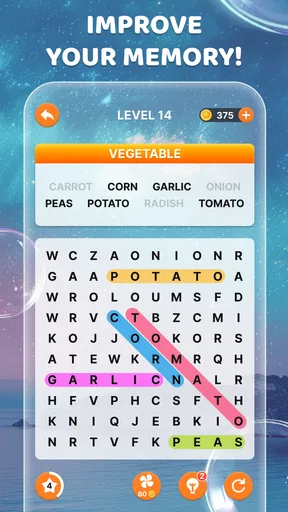
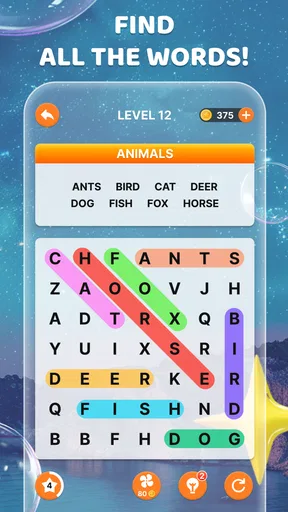

 Analysis by AppCompare
I like word-search games best when they give me something clear to do straight away, without asking me to learn a complicated system first. That is the appeal of Word Search!: I open it, scan a letter grid, and begin tracing words. It is a familiar little routine, but one that can turn a spare moment into a focused break.
Why the first move feels easy
The basic action is simple: choose a puzzle, look for a word on its list, then swipe across the matching letters. That low barrier makes the game easy to pick up while waiting for a coffee or settling in before bed. I do not need to remember a set of rules or keep track of a story; I can start noticing letter patterns almost immediately.
That simplicity also makes it a reasonable choice to share with someone who is new to mobile puzzles. The game is rated for Everyone, and its familiar format needs little explanation. I would still help a younger player adjust the screen and understand the word list, but the central task is intuitive enough for a casual introduction to word games.
A useful way to play in short bursts
On a typical busy day, I might open a puzzle during a short wait, find a few words, and put the phone away when I am called. The grid gives me a clear stopping point: I can either finish the current board or leave it for another moment, rather than needing to follow a long sequence of events. That makes it easier to fit into small gaps without turning a quick break into a commitment.
For a more deliberate session, I would choose a difficulty that asks me to slow down and scan carefully. When I want a gentler reset, I would lower the challenge and treat the search as a calming visual task. This adjustable pace is more useful than simply having “easy” and “hard” as labels: it lets me match the game to my attention and energy at that moment.
Where it sits among word games
Compared with a crossword, this is less about retrieving definitions or making deductions from intersecting clues. Compared with a word-building game, I am not testing how many combinations I can make from a letter rack. The pleasure here comes from visual scanning: spotting a sequence that is already in the grid and tracing it cleanly. If that kind of pattern-finding is satisfying to you, this format is a better fit than a clue-heavy puzzle.
The trade-off is that the core action stays familiar. Someone looking for a narrative campaign, competitive matches, or a constantly changing puzzle mechanic may find the routine too steady. I see that as a matter of taste rather than a flaw: its strength is being easy to return to, not reinventing word-search play.
Worth Reading Before You Choose

Flipboard Shows What News Apps Must Do Beyond the Feed

Switching to Android Auto Means Rethinking Your Driving Routine

Google Calendar Makes a Crowded Week Easier to Manage

Ludo King Makes the Most of the Minutes Between Plans

Baby Panda World Brings Quick Play to Modern Phones, but Its Game Library Feels Busy

ESPN’s Live Game View Makes Following Close Games Easier
Small choices that make a session smoother
I find it helpful to scan the word list before searching, rather than darting around the grid at random. Longer words can be useful starting points because their letter sequences are easier to distinguish from short, common words. I also check rows, columns, and diagonals in a consistent order. That simple habit cuts down on repeated scanning and makes a puzzle feel less scattered.
When I reach a word that refuses to stand out, I would first change my scanning direction or focus on an unusual letter in its spelling. Saving a hint for a genuine stall keeps it useful as a nudge instead of making it part of every solve. The hint system adds a small decision to the loop: keep searching and preserve the help, or use it to get moving again.
The game is free, and Mindful Daily Puzzles is its developer. Its average rating is 4.9 from around 235,000 ratings, and it has been installed over 10 million times. Those figures suggest that the straightforward format has found a broad audience, though popularity alone cannot tell me whether its pace will suit you.
Getting Started with Word Search!
First things first, downloading Word Search! is a breeze. Whether you're on Android or iOS, just head to your app store, hit download, and you’re ready to roll. As soon as you open the app, you're greeted with a simple and intuitive interface. No fuss, no frills, just straight to the point. I really appreciated this because, let’s be honest, no one needs a complicated navigation system when all you want to do is find some words.
The Gameplay Experience
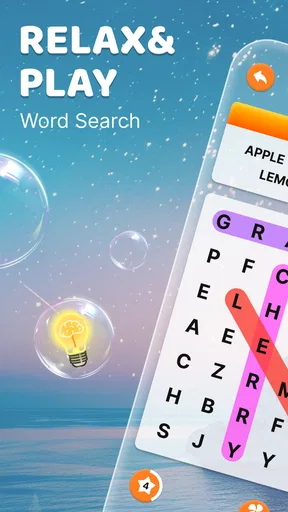
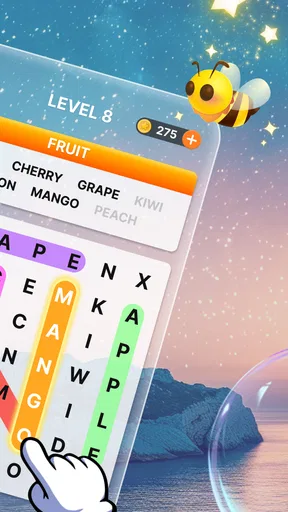
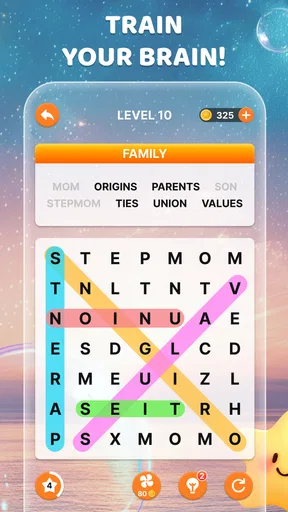
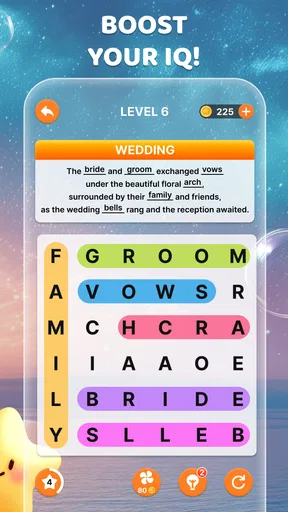
Once you start playing, the game presents you with a grid of letters and a list of words to find. The words can be hidden in any direction, and you simply swipe your finger across the letters to highlight them. It’s straightforward, yet surprisingly addictive. The satisfaction of finding that last elusive word is real, folks!
One of the aspects I love about this app is the variety of categories available. Whether you're into animals, food, or geography, there's something for everyone. The categories keep the game fresh and engaging, making sure you’re not just staring at random letters aimlessly. Plus, the app regularly updates with new puzzles, so there’s always a new challenge waiting for you.
How the reward keeps the loop moving
In my experience, the most satisfying moment is not merely spotting a word; it is completing the trace and seeing that item leave the list of targets. That small piece of feedback turns a vague search into visible progress. Each found word narrows the task, and the final one gives the board a tidy finish. The reward is modest, but it suits the game’s short-session nature: I get a clear sense of completion without needing a long payoff.
That rhythm also explains why I often feel ready to begin another puzzle. A finished grid closes one small mental loop, while the next category or board offers a fresh set of letters to scan. I would not describe it as a dramatic progression system; the appeal is closer to doing one more quick round because the last one ended neatly. If you prefer games with persistent goals or a growing collection of unlocks, this may feel less compelling.
Features that Stand Out
What really sets Word Search! apart is its customization features. You can adjust the difficulty level depending on your mood. Feeling brainy? Crank up the difficulty. Want something more relaxing? Dial it down. It’s a great way to keep the game accessible for both beginners and seasoned word search enthusiasts.
Another neat feature is the hint system. Stuck on a tricky word? Use a hint to get a nudge in the right direction. But use them sparingly; they can run out quickly, adding an element of strategy to the game.
Making difficulty and hints work for you
I would not automatically choose the highest difficulty just because I want a challenge. A demanding grid is most enjoyable when I have time to concentrate; if I am distracted or playing in a noisy waiting room, a gentler setting can make the same basic activity feel relaxing rather than frustrating. The useful choice is the one that fits the moment, not the one that sounds most impressive.
Hints are best treated as a way to break a genuine search deadlock. Before using one, I can revisit the list, look for a distinctive letter pattern, and scan the grid in a new direction. That little pause often helps me find the answer myself. If I use help too readily, I lose some of the satisfaction of completing the search; if I refuse it every time, a single stubborn word can drag out a short session.
Design and User Experience
The design of the app is sleek and modern, with a pleasing color palette that’s easy on the eyes. The animations are smooth, and I didn’t experience any lag or crashes during my playtime. It’s clear the developers put some thought into creating a polished experience.
I also appreciated the lack of intrusive ads. Yes, there are ads—it’s a free app after all—but they’re not overwhelming. You can opt to remove them with a small fee if they really bother you, but I found them easy enough to ignore.
What to expect from a free puzzle
Because I can play without paying, this is easy to try as a casual addition rather than a game that demands a commitment. The trade-off is that advertising can interrupt the feeling of an uninterrupted puzzle session, even if it does not dominate the experience for me. If you are especially sensitive to ads, that friction matters more than it would for someone who plays briefly and does not mind occasional interruptions.
I would also keep expectations focused on the word-search loop itself. The interface and puzzle format are designed for quick access, not for replacing every kind of word game. If you want a crossword’s clue-solving, a competitive score chase, or a more elaborate progression structure, another title in the word-puzzle category may hold your attention better. If you mainly want to scan, swipe, and finish a board, the simplicity is the point.
Who will enjoy it, and who may not
I would recommend this game to people who like visual puzzles, want a low-pressure way to occupy short breaks, or enjoy returning to a familiar task without relearning controls. The category choices help when I want a theme to guide the session, while adjustable difficulty makes it easier to keep the search comfortable. It can also suit a shared waiting-room moment: one person can call out a target word while another scans the grid, without needing a long explanation.
I would steer away from it if your main goal is to improve spelling through definitions, build vocabulary from clues, or compete against other players. Finding a word that is already printed in a grid exercises attention and pattern recognition, but it is not the same experience as solving a clue or constructing words from letters. Likewise, someone who dislikes repeated visual scanning may tire of the central mechanic, even with different categories to choose from.
Practical details before you install
The game is free and is rated Everyone. It was released on November 13, 2023, and the current version is 1.1.97; Android support starts at version 6.0. I would check that requirement before installing on an older device. The developer is Mindful Daily Puzzles, and the game has 509 written reviews alongside its much larger rating count.
One practical question is whether it suits a tiny break or needs a long stretch of attention. I find the basic search easy to start in a short gap, while a harder board is better when I can give it a little more focus. Another is whether I need to spend money to enjoy it: the game is free, though the ads may affect how seamless a session feels. For me, those are straightforward trade-offs to judge against how often I expect to play and how much interruptions bother me.
Final Thoughts
Overall, Word Search! is a delightful app that brings a classic game to life in a convenient digital format. It’s perfect for killing time during a commute or while waiting in line. The combination of various categories, difficulty levels, and a user-friendly design makes it a must-try for anyone looking to sharpen their mind with some wordy fun.
If you’re a fan of word puzzles or just need a new go-to app for those idle moments, give Word Search! a try. It might just become your new favorite pastime!
Pros
- Engaging and addictive gameplay.
- Wide variety of word categories.
- Easy to navigate user interface.
- Offline play supported.
- Regular updates with new puzzles.
Cons
- Ads can be intrusive at times.
- Limited customization options.
- No multiplayer mode available.
- In-app purchases for hints.
- Some puzzles may repeat.
FAQs for Word Search!
What is Word Search! and how does it work?
Word Search! is a classic puzzle game that challenges players to find hidden words within a grid of letters. Players swipe or tap letters to form words, which can be arranged horizontally, vertically, or diagonally. The game offers various levels of difficulty, making it suitable for both beginners and seasoned word search enthusiasts.
Is Word Search! available for both Android and iOS devices?
Yes, Word Search! is available for download on both Android and iOS platforms. You can find it on the Google Play Store for Android devices and the App Store for iOS devices. This ensures that users on different operating systems can enjoy the game seamlessly.
Are there any in-app purchases or ads in Word Search!?
Word Search! is free to download and play, but it may contain ads and offer in-app purchases. These purchases often include options to remove ads or unlock additional features and content, providing an enhanced playing experience. Users can enjoy the core game without purchasing, but the extras can add to the enjoyment.
What features does Word Search! offer to enhance gameplay?
Word Search! offers a range of features to enhance the gaming experience, including multiple difficulty levels, themed puzzles, and daily challenges. It often includes a hint system to assist players who may get stuck. Some versions may also offer multiplayer modes, allowing friends to compete and compare scores.
Can Word Search! be played offline?
Yes, Word Search! can typically be played offline, making it a perfect game for travel or areas with limited internet connectivity. However, some features, like daily challenges or leaderboard updates, might require an internet connection. Always check the specific app details to confirm offline capabilities.


